
The New Design Loop: Figma ↔ AI Agents
Lately the pace of product work has changed a lot.
Lately the pace of product work has changed a lot.
Expectations are higher, timelines are shorter, and teams are expected to prototype and validate ideas much faster than before. AI tools can already generate surprisingly good screens with the right prompts, but in real projects that alone is rarely enough.
Most AI-generated interfaces still miss context.
They don’t fully understand:
the actual user problem,
product constraints,
stakeholder expectations,
edge cases,
or the tiny interaction details that make a product feel intentional.
That’s why I still think the early thinking phase matters more than ever.
Before building anything, I usually prefer to:
brainstorm flows,
clarify the actual problem,
align on expectations,
and create a rough visual direction first.
Tools like Miro help a lot during this stage because the goal is not “high fidelity UI” immediately. The goal is clarity.
Once the direction is clear, AI becomes extremely useful for speed.
You can generate flows, layouts, and even fully working prototypes very quickly. But eventually every workflow hits the same problem:
The AI output gets close… but not fully right.
And that’s where the loop begins.
You move back into Figma, refine the experience manually, adjust spacing, hierarchy, flows, interactions, content structure, and visual details — then hand it back to the agent again for implementation.
So recently I’ve been spending a lot of time in this cycle:
Figma → Agent → Localhost → Figma → Agent
Especially for fast prototypes that need to be built in a day or two, this workflow feels much more practical than building everything traditionally inside Figma from scratch.
One thing that started frustrating me though was how disconnected these tools still are.
Sometimes the AI-generated implementation inside localhost already looks almost correct, but recreating that entire screen again in Figma just to tweak a few things feels unnecessary.
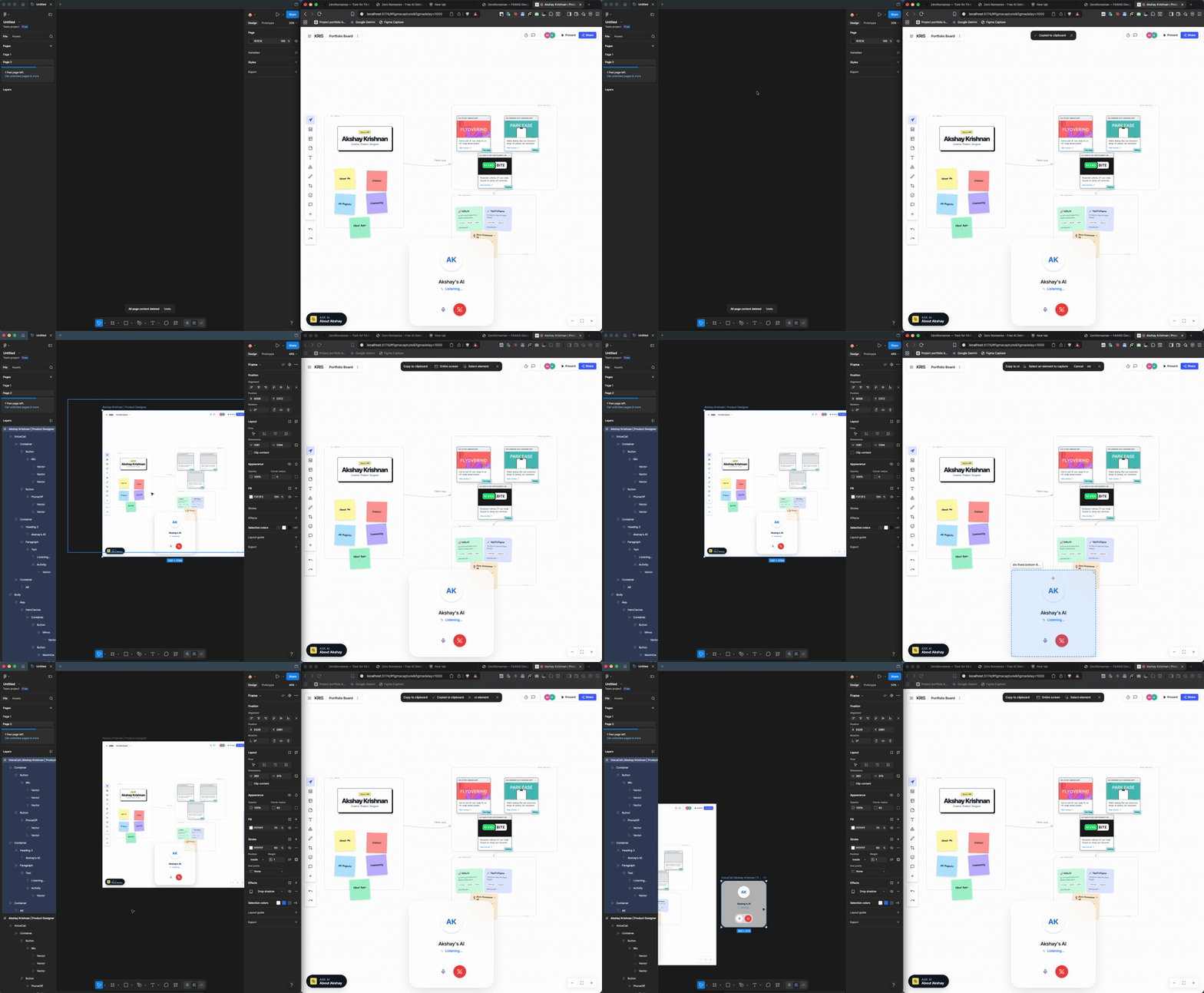
While exploring Figma’s MCP tooling, I discovered an interesting hidden workflow using capture.js that can copy live webpages directly into Figma as editable layers.
So I ended up bundling it into a small Chrome extension for myself.
Now I can:
capture an entire localhost screen directly into Figma,
edit specific sections manually,
or even copy a single component from a running app back into design.
What makes it interesting is that it preserves the visual structure surprisingly well. The screen inside Figma looks almost identical to what’s running locally.
For rapid prototyping, this has honestly made the iteration loop much faster.
The tools are changing fast.
The workflow is changing even faster.
And yes, I know there are already tools that do similar screen-to-Figma workflows. This is just me sharing a small workflow setup that has been working really well for my own rapid prototyping process lately.